How an event app supports event organization
Not a product pitch, but a practical look at how an event app can help streamline communication, information, and organization during an event.
Published
22 May 2026
Category
Blogs
When organizing an event, digital support rarely stays simple.
What starts as a straightforward brief, a schedule, some practical information, maybe a few interactive elements, tends to grow as the process unfolds. More stakeholders get involved. Visitors need more context. Teams need to move faster. And a patchwork of disconnected tools starts creating more work than it saves.
That is the starting point for this piece. Not the question of which features to add, but the more useful one: how can an event app make an event clearer, easier to use, and easier to manage?
Do you recognize this situation? Request a demo:
What an event app needs to solve in practice
The right question is rarely how much functionality an app can offer. It is which problems it actually solves. No unnecessary extras, just a digital layer that helps attendees and reduces friction for the team behind the scenes.
1. Information in one place
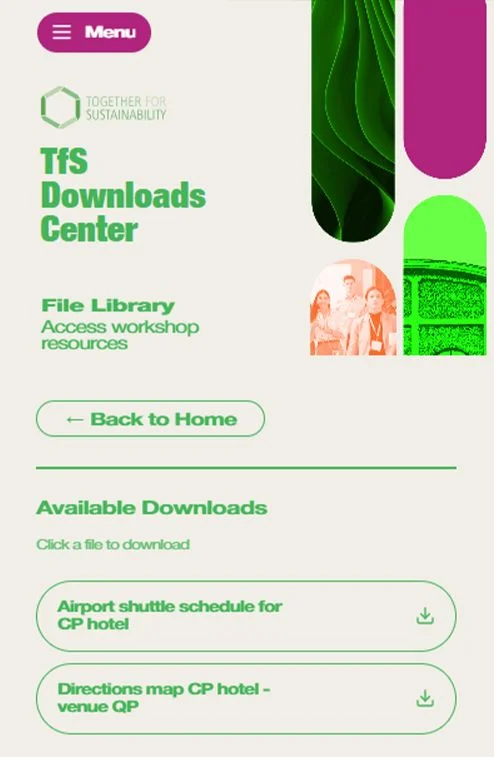
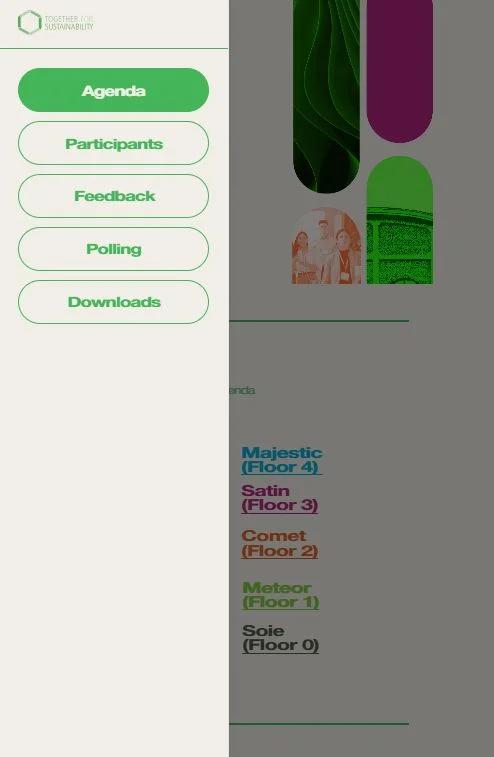
Schedules, locations, speaker profiles, documents, and updates should be immediately available on a visitor's phone. Not scattered across emails, PDFs, and separate pages, but in one central place that stays current throughout the event.
2. Interaction without extra barriers
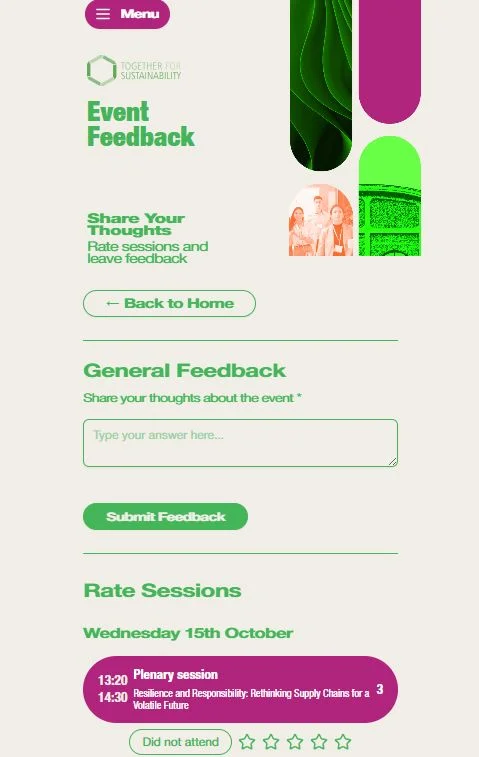
Polls, live questions, and feedback work best when they live within the same environment as the rest of the communication. A loose collection of external tools adds steps and breaks the experience. Keeping everything in one place keeps participation simple and the experience consistent.
3. Insight during the event, not after
Teams should not have to wait until an event is over to understand what worked. Seeing usage patterns, responses, and engagement in real time makes it possible to adjust while it still matters.
4. An environment that fits the organization
A standard solution does not always fit. Brand identity, internal workflows, and audience expectations all play a role. The app should align with these, not work against them.
5. Less switching between systems
The biggest gain often does not come from adding more features, but from reducing fragmentation. Fewer tools means less coordination, fewer errors, and a calmer operation overall.
What often only becomes clear during development
Many organizations recognize the same pattern: the initial scope seems well-defined, but as the project takes shape, it becomes clear that more is needed.
This is rarely a sign that something is going wrong. It is usually the point where content, logistics, and communication become concrete enough to reveal where users will get stuck, and where the team will lose time.
Some recurring realizations:
• Visitors expect current information on their phones, not spread across files and separate emails.
• Questions that would otherwise flood support channels can often be resolved digitally before the event begins.
• Teams need visibility during the process, not just summary reports afterwards.
• What seems secondary in the early planning stages often proves essential to smooth execution on the day.
This is precisely why it helps to treat an event app not as an add-on, but as a practical tool shaped around what is actually needed.
Do these challenges sound familiar?
When information becomes scattered, scope expands during preparation, and the team is constantly switching between systems, that is rarely a minor inconvenience. It is usually a signal that digital support needs to grow with the process.
A good event app does not need to do everything. It mainly needs to fit what is genuinely needed in practice.
Want to talk through what that looks like for your event?